Blog
3D Puff Embroidery Digitizing Services: What to Know Before You Order

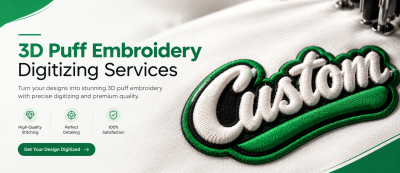
3D Puff Embroidery Digitizing Services: What to Know Before You Order? A customer sends in a bold cap logo and asks for it “puffy.” The sample comes back with lettering that looks flat in some places, foam poking out around the edges in others, and a few letters that barely read at all. Nothing is wrong with the machine. The file was simply built like a regular flat design, and puff doesn’t work that way.
If you’re thinking about ordering embroidery digitizing services for a raised logo, this guide explains how 3D puff differs from standard embroidery, what kind of artwork suits it, and what to tell your digitizer so the first sew-out is close to right.
What 3D Puff Embroidery Digitizing Services Actually Is:
3D puff (also called foam embroidery) uses a thin sheet of foam placed over the garment. The machine stitches over the foam with dense satin stitches, and those stitches compress the foam and hold it in place, so the design stands up from the fabric. The foam that isn’t covered by thread gets pulled away afterward.
It’s most common on caps, which is why you see it on trucker hats, snapbacks, and team headwear. It also shows up on jackets, beanies, and some bags.
Because the thread has to cover and cut around the foam cleanly, the digitizing is different. A flat design can rely on lots of small fill areas and fine detail. A puff design needs bold, simple shapes and carefully planned satin stitching. You can see examples of raised work on the MAG Digitizing homepage, where puff designs appear next to their finished results.
How Digitizing Changes for Puff
The foam needs to be cut cleanly:
Before the main stitching, a digitizer usually plans a perforating or tack-down pass that secures the foam and creates a clean edge to tear along. Then dense satin stitching covers it. If that sequence isn’t planned well, the foam may tear unevenly, show through gaps, or shift while the cap is running.
Density is set for the foam, not the fabric:
Standard designs use density values suited to the fabric. Puff needs enough coverage to hide the foam and hold it down, but too much density can cut the foam away from inside the letter. This is one of the reasons puff files can’t simply be converted from a flat version, and why an experienced digitizer matters. For more on what goes wrong without that planning, our post on common embroidery digitizing mistakes covers several cases that apply here too.
Stitch direction and underlay matter more:
Satin stitches on puff should run in directions that help the foam stay put and keep the surface smooth. Underlay is usually minimal compared with flat embroidery, because the foam itself supplies the lift. Details like these are hard to get right with automatic conversion, which is why we explain the gap in why professional embroidery digitizing beats auto digitizing.
Artwork That Works Well for Puff (and Artwork That Doesn’t):
Good candidates:
- Block lettering and bold script with thick strokes
- Simple icons and shapes with clear outlines
- Short words rather than long phrases
- Designs with two or three areas of puff rather than ten
Poor candidates:
- Thin lines and tiny text, which the foam can’t support
- Gradients, shading, and photo-style detail
- Very small designs where letters sit close together
A practical approach many shops use is to puff only the main element, like the lettering, and keep thinner details as flat stitching around or beside it. If your logo mixes both, tell your digitizer which parts matter most. They can suggest what to raise and what to keep flat.
Minimum sizes also differ from flat embroidery. Puff lettering generally needs to be noticeably larger than flat lettering to stay readable, and the right size depends on the font and foam thickness. Ask your digitizer for a recommendation rather than shrinking the logo to fit.
Planning for Caps:
Most puff work is done on caps, and caps bring their own limits: a curved surface, a seam running down the center, and a small front panel. Typical cap embroidery areas are around 2.5 × 4.5 inches, though your cap style may differ. Our caps designs follow that size, and the Mexico Hat 3D puff cap file is one example of a design built for it.
Before you order, let your digitizer know:
- Cap style (structured or unstructured, trucker, snapback, and so on)
- Final design size and placement
- Which elements should be raised
- Foam and thread colors, if you’ve already chosen them
Where Embroidery Digitizing Services Software Fits:
If you’re considering making puff files yourself, check what your software offers first. Embrilliance digitizing software, specifically its StitchArtist modules, is a popular option for people who want to create basic designs in-house, and Embrilliance Essentials is used mainly for editing and lettering. Puff-specific controls vary from program to program, so check your version’s documentation for the settings you can adjust before you rely on it for foam work.
For many shops, the practical split is to edit and resize simple files in-house and send puff and other specialty jobs out. MAG Digitizing lists Embrilliance StitchArtist among the programs it works with, so the files you receive can fit how you work. The files and formats page covers the formats and machines supported.
Choosing Embroidery Digitizing Services in the USA for Specialty Work
Not every provider handles puff the same way, and with so many digitizing services embroidery buyers can choose from, it’s worth asking how puff is actually built. When comparing digitizing services in USA, ask:
- Do they digitize puff manually, or convert flat files?
- Will they tell you if your artwork needs changes?
- What happens if the test sew shows a problem?
- Can they deliver the format your machine reads?
If you’re comparing digital embroidery options, read how to pick an embroidery digitizer without getting burned, and check the published money-back guarantee so you understand the terms before ordering. If your shop runs several heads, our guide to multi-needle vs single-needle machines can help you plan which jobs go where.
Test Before You Run the Full Order
Even a well-made puff file should be sewn on a scrap cap or similar material first. Check that the foam tears away cleanly, no foam shows around the edges, and thin points like the tip of a letter are covered. Small adjustments after a test sew are normal. Our tips for cleaner machine embroidery results cover hooping and tension checks that help here.
Getting a Raised Logo Right the First Time
3D puff rewards simple artwork, thoughtful sizing, and a digitizer who builds the file for foam rather than reusing a flat one. If you give clear details about the cap, the size, and what should be raised, you’ll avoid most of the problems described above.
When you’re ready, you can order custom embroidery digitizing, request a free digitizing quote, or browse the full range of custom designs. Reliable embroidery digitizing services in the USA should be able to tell you honestly whether your artwork suits puff before you spend on foam and caps. If you’re also still sorting out your artwork, start with our guide on how to prepare your artwork.