Blog
How to Choose the Best Embroidery File Format for Your Machine

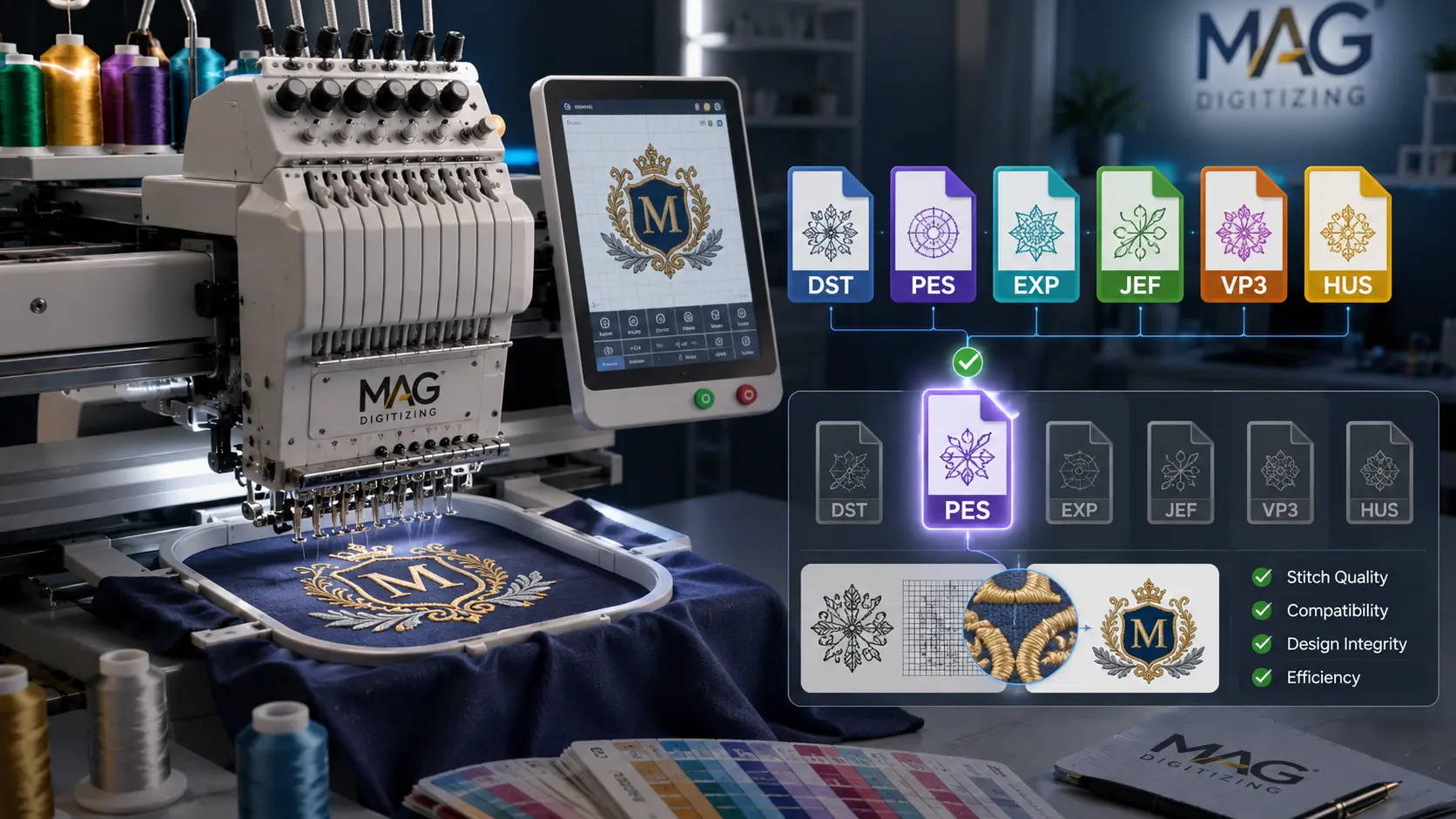
Choosing the right embroidery file format is one of the most important steps before running any design on an embroidery machine. Even if your artwork looks perfect on screen, your machine cannot stitch it properly unless the design is saved in a compatible embroidery format.
Many beginners think embroidery files are the same as normal image files like JPG, PNG, or PDF. But embroidery machines do not read images directly. They need special stitch files that contain machine instructions such as stitch type, stitch direction, needle movement, color changes, trims, and design placement.
Using the wrong file format can cause problems like the file not opening, missing stitches, wrong sizing, thread breaks, poor alignment, or messy embroidery results. That is why understanding embroidery file formats is important for both business owners and embroidery machine users.
In this guide, we will explain what embroidery file formats are, which formats are used by popular machines, and how to choose the best format for your embroidery machine.
What Is an Embroidery File Format?
An embroidery file format is a special digital file that tells an embroidery machine how to stitch a design. It is not just a picture of the design. It contains actual stitching information that the machine follows during production.
A proper embroidery file may include:
- Stitch paths
- Stitch types
- Thread color changes
- Design size
- Needle movement
- Trim commands
- Start and stop points
- Stitch density
- Underlay settings
- Machine-readable instructions
For example, a normal image file like PNG only shows what the design looks like. But an embroidery file like DST or PES tells the machine exactly how to create that design with thread.
This is why professional embroidery digitizing is necessary. The design must be converted into a machine-ready stitch file before it can be embroidered.
Why Choosing the Correct Embroidery File Format Matters
Choosing the correct embroidery file format is important because every embroidery machine supports specific file types. If you send the wrong file to your machine, it may not recognize it at all.
Even if the file opens, an incorrect or poorly converted format can create stitching issues. The machine may skip parts of the design, resize the design incorrectly, or lose important color information.
The right file format helps ensure:
- The design opens correctly on your machine
- The stitch quality remains clean
- The design size stays accurate
- Color changes are easier to follow
- The embroidery runs smoothly
- The final result looks professional
For business embroidery, this becomes even more important. A wrong format can waste garments, thread, stabilizer, machine time, and customer trust.
Common Embroidery File Formats Explained
There are many embroidery file formats, but some are more commonly used than others. The best format depends on the embroidery machine brand and model you are using.
Here are the most popular embroidery file formats:
DST File Format
DST is one of the most widely used embroidery file formats in the industry. It is commonly used for commercial embroidery machines and is supported by many professional machines.
DST files are popular because they are simple, reliable, and accepted by many embroidery businesses. However, DST files usually do not store detailed thread color information. This means you may need a color chart or production sheet to follow the correct thread colors.
Best for:
- Commercial embroidery machines
- Professional embroidery shops
- Logo embroidery
- Cap embroidery
- Uniform embroidery
- Bulk production
Commonly used with:
- Tajima machines
- Barudan machines
- Many commercial embroidery machines
DST is often the safest format to request if you are not sure which format your commercial machine accepts.
PES File Format
PES is one of the most popular embroidery file formats for Brother and Baby Lock embroidery machines. It is commonly used by home embroidery users, small businesses, and hobby embroidery machine owners.
Unlike DST, PES files can store more design information, including thread colors and design preview details, depending on the software and machine.
Best for:
- Brother embroidery machines
- Baby Lock embroidery machines
- Home embroidery projects
- Small business embroidery
- Decorative embroidery
- Custom apparel designs
Commonly used with:
- Brother machines
- Baby Lock machines
If you own a Brother embroidery machine, PES is usually the best format to use.
JEF File Format
JEF is the standard embroidery format for Janome embroidery machines. It is designed for Janome machine compatibility and is commonly used by home embroidery users.
JEF files contain stitch data and design information that Janome machines can read properly.
Best for:
- Janome embroidery machines
- Home embroidery
- Custom gifts
- Small apparel projects
- Decorative designs
Commonly used with:
- Janome machines
If your embroidery machine is Janome, you should usually request the JEF format.
EXP File Format
EXP is commonly used for Melco and Bernina embroidery machines. Some commercial embroidery machines also support EXP files.
There are different versions of EXP, depending on the machine and software. For example, Bernina EXP files may come with additional color information files.
Best for:
- Bernina embroidery machines
- Melco embroidery machines
- Commercial embroidery
- Professional production
Commonly used with:
- Bernina machines
- Melco machines
If you use Bernina or Melco, EXP may be the correct format for your machine.
VP3 File Format
VP3 is commonly used by Husqvarna Viking and Pfaff embroidery machines. It is a modern embroidery format that can store useful design information, including color data.
Best for:
- Husqvarna Viking machines
- Pfaff machines
- Home embroidery
- Decorative embroidery
- High-detail embroidery designs
Commonly used with:
- Husqvarna Viking
- Pfaff
If you use a Viking or Pfaff embroidery machine, VP3 is often the preferred format.
HUS File Format
HUS is an older format used by Husqvarna Viking embroidery machines. Some machines still support it, but many newer users prefer VP3 when available.
Best for:
- Older Husqvarna Viking machines
- Home embroidery designs
- Basic embroidery projects
Commonly used with:
- Husqvarna Viking machines
If your machine is older, HUS may be required instead of VP3.
XXX File Format
XXX is commonly associated with Singer embroidery machines and some older embroidery systems. It is not as commonly requested as DST, PES, or JEF, but it is still used by some machine owners.
Best for:
- Singer embroidery machines
- Certain older machine models
Commonly used with:
- Singer machines
Always check your Singer machine manual before requesting this format.
SEW File Format
SEW is used by some older Janome and Elna embroidery machines. It has limitations compared to newer formats, but it may still be needed for older equipment.
Best for:
- Older Janome machines
- Older Elna machines
Commonly used with:
- Janome
- Elna
For newer Janome machines, JEF is usually more common.
EMB File Format
EMB is usually an editable embroidery design file created by Wilcom embroidery software. It is not always used directly on embroidery machines. Instead, it is often used by digitizers because it allows editing of the design.
An EMB file can be useful if you need future changes to the design, such as resizing, changing stitch types, adjusting density, or editing colors.
Best for:
- Editable digitizing files
- Professional digitizers
- Future design edits
- Resizing and modifications
Important note:
Many machines do not run EMB directly. You usually need to export the final stitch file in a machine format like DST, PES, JEF, EXP, VP3, or HUS.
Embroidery Machine File Format Chart
Here is a simple guide to help you choose the right embroidery file format:
| Machine Brand | Common File Format |
|---|---|
| Brother | PES |
| Baby Lock | PES |
| Janome | JEF |
| Tajima | DST |
| Barudan | DST |
| Melco | EXP |
| Bernina | EXP |
| Husqvarna Viking | VP3 / HUS |
| Pfaff | VP3 |
| Singer | XXX |
| Elna | SEW / JEF |
This chart is a general guide. Some machines support multiple formats, so it is always best to check your machine manual or machine screen settings.
Image Files vs Embroidery Files
Many customers send files like JPG, PNG, PDF, SVG, AI, or EPS and expect the embroidery machine to stitch them directly. These files are useful for artwork, but they are not machine-ready embroidery files.
Here is the difference:
| File Type | Purpose |
|---|---|
| JPG / PNG | Image preview or artwork |
| Artwork or document file | |
| SVG / AI / EPS | Vector artwork |
| DST / PES / JEF / EXP | Embroidery machine files |
| EMB | Editable digitizing file |
A JPG or PNG must be digitized first before it becomes an embroidery file. Vector files like AI, EPS, or SVG can help the digitizer create a cleaner embroidery file, but they still need to be converted into stitches.
How to Choose the Best Embroidery File Format
To choose the best embroidery file format, follow these steps:
1. Check Your Embroidery Machine Brand
The first and most important step is to know your embroidery machine brand. Different brands use different file formats.
For example:
- Brother usually needs PES
- Janome usually needs JEF
- Tajima usually needs DST
- Bernina may need EXP
- Viking or Pfaff may need VP3
Knowing your machine brand helps you avoid choosing the wrong format.
2. Check Your Machine Model
Machine brand is important, but the model also matters. Some older machines support older formats, while newer machines may support more advanced formats.
For example, one Janome machine may support JEF, while an older model may need SEW. One Husqvarna Viking machine may accept VP3, while an older one may require HUS.
The safest option is to check:
- Your machine manual
- The machine’s file import menu
- The manufacturer’s website
- The USB file examples that came with your machine
3. Understand Your Project Type
The best format can also depend on your project. A simple left chest logo, a cap design, a jacket back design, and a detailed patch may all require careful digitizing.
For commercial work, DST is very common because it is widely accepted by professional machines. For home embroidery, PES, JEF, VP3, or HUS may be better depending on the machine.
If your project is for business use, uniforms, caps, or bulk production, it is better to request a professionally digitized file in the exact format your machine requires.
4. Ask for Multiple File Formats
A good digitizing service usually provides multiple file formats. This is helpful if you use more than one embroidery machine or may need the design for different machines in the future.
For example, at MAG Digitizing, embroidery files can be prepared in popular formats such as:
- DST
- PES
- EXP
- JEF
- VP3
- HUS
- XXX
- SEW
- EMB
Getting multiple formats gives you more flexibility and saves time later.
5. Do Not Rely Only on File Conversion
Some people use software to convert one embroidery format into another. While this can work for basic cases, conversion does not always guarantee perfect stitch quality.
A converted file may lose:
- Thread color information
- Trim commands
- Design details
- Stitch order
- Compatibility settings
- Proper scaling information
The best option is to have the design digitized and exported properly for your specific machine format.
6. Make Sure the Design Size Is Correct
Embroidery files are created for a specific size. If you resize the file too much inside your machine, the stitch density may become too tight or too loose.
This can cause:
- Thread breaks
- Needle breaks
- Fabric puckering
- Gaps in stitches
- Poor detail
- Hard or thick embroidery
When ordering embroidery digitizing, always provide the exact size you need. For example:
- Left chest: 3.5 inches wide
- Cap front: 4.5 inches wide
- Sleeve logo: 2.5 inches wide
- Jacket back: 10 inches wide
A professionally digitized file should be created according to the final embroidery size.
7. Test the File Before Full Production
Before stitching on expensive garments or bulk orders, always test the embroidery file on similar fabric. This helps you check the design quality before final production.
A test stitch can help you identify:
- Thread breaks
- Density issues
- Alignment problems
- Small text readability
- Color sequence problems
- Fabric puckering
- Design placement issues
Testing is especially important for logos, caps, patches, uniforms, and detailed designs.
Best Embroidery File Format for Beginners
For beginners, the best embroidery file format depends on your machine. However, here are simple recommendations:
- Use PES if you have a Brother or Baby Lock machine
- Use JEF if you have a Janome machine
- Use DST if you use a commercial embroidery machine
- Use EXP if you have Bernina or Melco
- Use VP3 if you use Husqvarna Viking or Pfaff
If you are unsure, check your machine manual or ask your digitizer for guidance.
Best Embroidery File Format for Commercial Embroidery
For commercial embroidery, DST is one of the most common and reliable formats. Many professional embroidery shops use DST because it works with a wide range of commercial machines.
However, DST may not include full thread color information, so you may also need a color chart or production sheet.
For the best results, commercial embroidery businesses should request:
- Machine-ready DST file
- Color sequence sheet
- Design size information
- Stitch count
- Preview image
- Additional formats if needed
This helps keep production smooth and professional.
Best Embroidery File Format for Home Embroidery Machines
For home embroidery machines, the best format depends on the brand.
Popular home machine formats include:
- PES for Brother and Baby Lock
- JEF for Janome
- VP3 for Viking and Pfaff
- HUS for some Viking machines
- XXX for some Singer machines
Home embroidery users should always make sure the design fits within their hoop size. Even if the file format is correct, the machine may reject the design if it is larger than the hoop area.
Common Mistakes When Choosing Embroidery File Formats
Here are some common mistakes to avoid:
Using a JPG or PNG Instead of an Embroidery File
A JPG or PNG is not an embroidery machine file. It must be digitized first.
Choosing the Wrong Machine Format
A Brother machine may not read JEF. A Janome machine may not read PES. Always choose the correct format for your machine.
Resizing the Design Too Much
Large resizing can damage stitch quality. Ask your digitizer to create the file in the exact size you need.
Using Auto-Converted Files Without Checking
Automatic conversion can sometimes create stitching problems. Always test the file before production.
Ignoring Fabric Type
Different fabrics need different digitizing settings. A design for cotton may not stitch the same way on caps, towels, fleece, leather, or stretchy fabric.
Not Testing the File
Skipping a test stitch can lead to mistakes on final garments. Always test before bulk embroidery.
File Format Is Important, But Digitizing Quality Matters More
Choosing the right file format is important, but the quality of digitizing matters even more.
A correct file format with poor digitizing can still produce bad embroidery. The file may open on your machine, but the final result may have messy stitches, poor density, rough edges, broken threads, or unreadable small text.
Professional embroidery digitizing includes:
- Clean stitch paths
- Proper underlay
- Correct density
- Smooth stitch direction
- Clean trims
- Good pull compensation
- Fabric-based adjustments
- Machine-friendly stitch flow
That is why it is always better to use a professional digitizing service instead of relying only on auto-digitizing or basic file conversion.
What File Format Should You Request From MAG Digitizing?
When placing an embroidery digitizing order, you should provide your machine brand, machine model, required size, and preferred file format.
For example:
“I have a Brother embroidery machine and need the design in PES format, 4 inches wide.”
Or:
“I use a Tajima commercial embroidery machine and need DST format for a left chest logo.”
If you are not sure which format you need, you can send your machine name and model, and the correct format can be recommended.
MAG Digitizing can provide machine-ready embroidery files in popular formats such as DST, PES, EXP, JEF, VP3, HUS, and more.
Quick Guide: Which Format Should I Choose?
Choose your embroidery file format based on your machine:
- Brother / Baby Lock: PES
- Janome: JEF
- Tajima / Barudan: DST
- Melco / Bernina: EXP
- Husqvarna Viking / Pfaff: VP3 or HUS
- Singer: XXX
- Older Janome / Elna: SEW
When in doubt, check your machine manual or ask your digitizing provider.
Frequently Asked Questions
What is the most common embroidery file format?
DST is one of the most common embroidery file formats, especially for commercial embroidery machines. PES is also very popular for Brother and Baby Lock machines.
Can I use a PNG or JPG file on my embroidery machine?
No. PNG and JPG files are image files, not embroidery machine files. They must be converted into stitch files through embroidery digitizing.
Which format is best for Brother embroidery machines?
PES is usually the best and most common format for Brother embroidery machines.
Which format is best for Janome embroidery machines?
JEF is usually the standard format for Janome embroidery machines.
Is DST better than PES?
DST is better for many commercial embroidery machines, while PES is better for Brother and Baby Lock machines. One is not always better than the other. The best format depends on your machine.
Can I convert PES to DST?
Yes, embroidery software can convert PES to DST, but conversion may not always preserve every detail perfectly. For best results, request the correct format from the digitizer.
Why does my embroidery machine not read my file?
Your machine may not read the file because the format is wrong, the file is corrupted, the design is too large for the hoop, or the file was not saved correctly for your machine model.
Do embroidery files include thread colors?
Some formats include color information, while others may not. DST files often do not store full thread color details, so a color chart or preview sheet is useful.
Final Thoughts
Choosing the best embroidery file format for your machine is essential for clean, accurate, and professional embroidery results. The right format allows your machine to read the design correctly, follow the stitch path properly, and produce a better final result.
The most important thing is to know your machine brand and model. Brother machines usually use PES, Janome machines usually use JEF, commercial machines often use DST, Bernina and Melco may use EXP, and Viking or Pfaff machines often use VP3 or HUS.
However, file format is only one part of the process. High-quality embroidery also depends on professional digitizing, correct stitch density, proper underlay, suitable fabric settings, and accurate sizing.
For the best results, always use a properly digitized, machine-ready embroidery file created for your exact machine, size, and fabric type.
Call to Action
Need a machine-ready embroidery file for your design? MAG Digitizing provides professional embroidery digitizing services in all major file formats, including DST, PES, EXP, JEF, VP3, HUS, and more.
Send your logo or artwork today and get a clean, production-ready embroidery file made for your machine.